New - February 17th, 2026 - New Booking Software
The new system eliminates promo codes and is integrated with the BCMC Website's Membership List
Note to new members or those reactivating their memberships:
The Membership List is synchronized/updated once per week on Monday (initially).
BCMC Member privileges include:
- Access to Member Only Cabins
- Reservation Fee Discounts
- BCMC Advanced Booking privileges
How to Activate your Account
Option 1: From any page in the new booking software
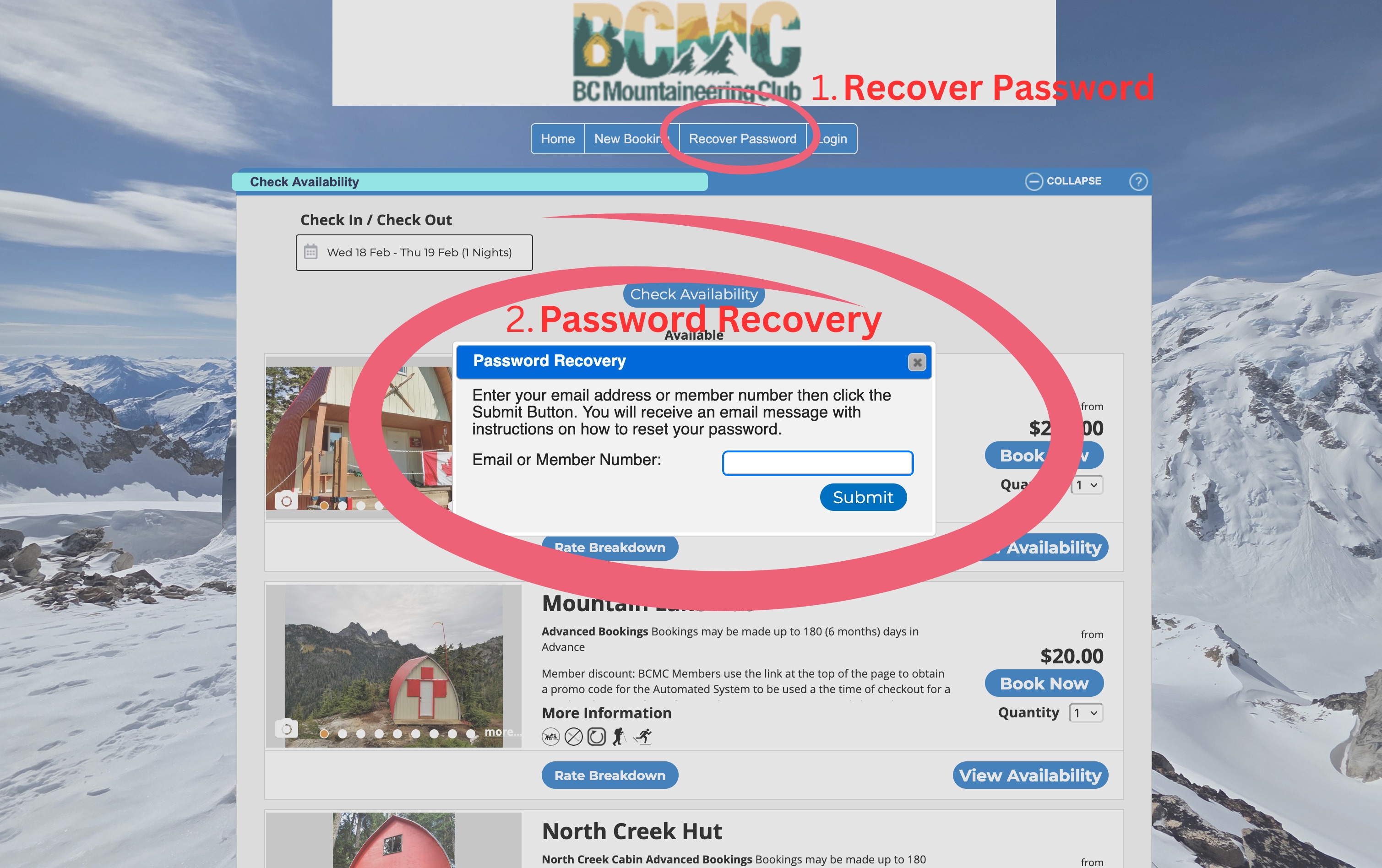
Step 1 - Click on 'Recover Password' to open the Password Recovery
Step 2 - Enter your BCMC Member Number, or enter Your Email Address (this must be the same Email Address you used in the BCMC Website)
Step 3 - Go to you Email Account, find the automated Email from the Reservation System and update your password
Step 4 - Login to the Reservation Software.
If your BCMC Membership is paid and valid, all benefits will be added automatically.
Option 2: Click on the Following Member Login Link, then Click 'FORGOT PASSWORD?'
then Follow Steps 2 - 4 in Option 1
https://online.rezexpert.com/memberlogin?business_code=400357
How do I find my BCMC Membership Number?
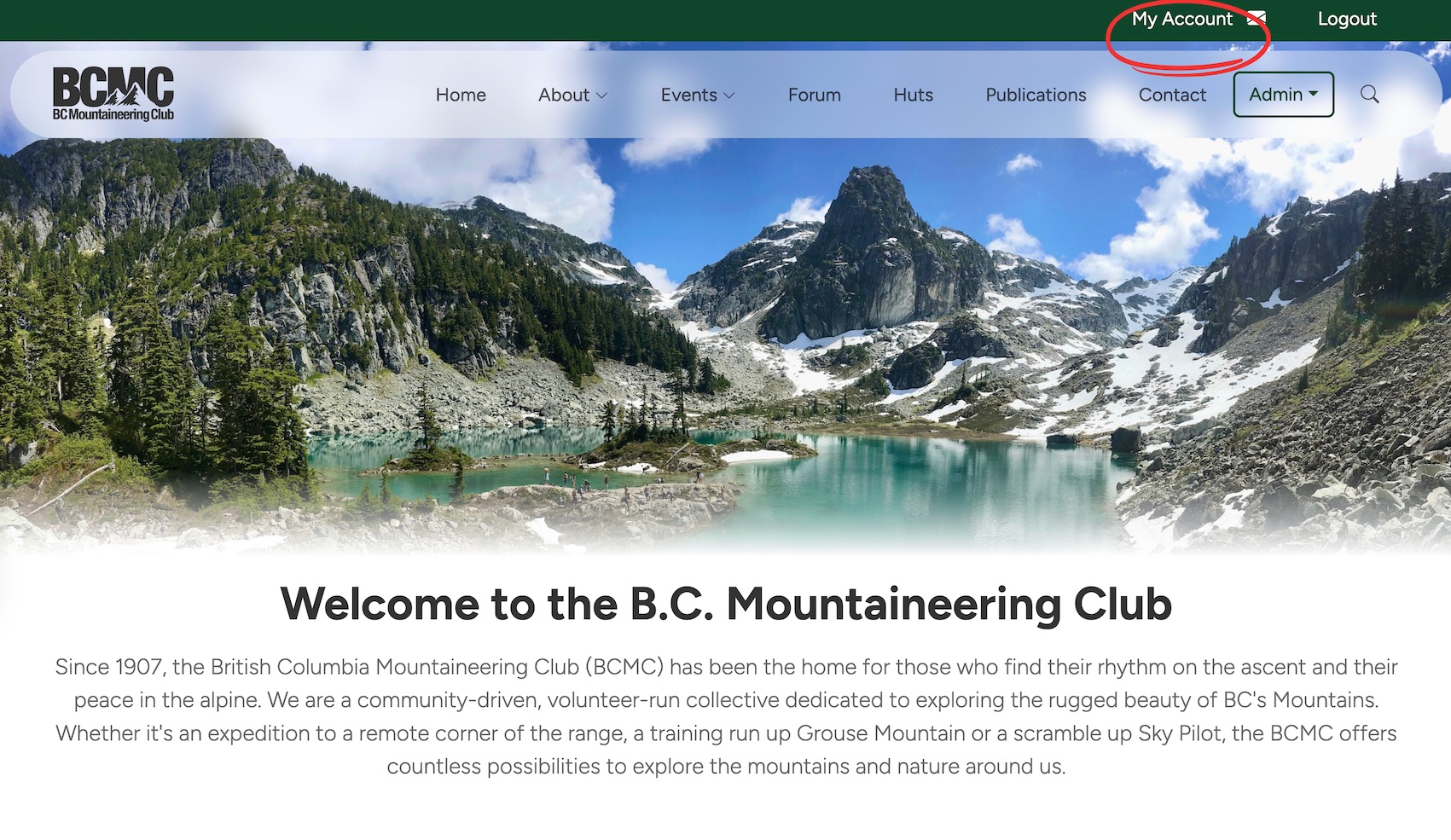
Step 1 Login in to the BCMC Website
Step 2 Click on 'My Account' in the Upper Right
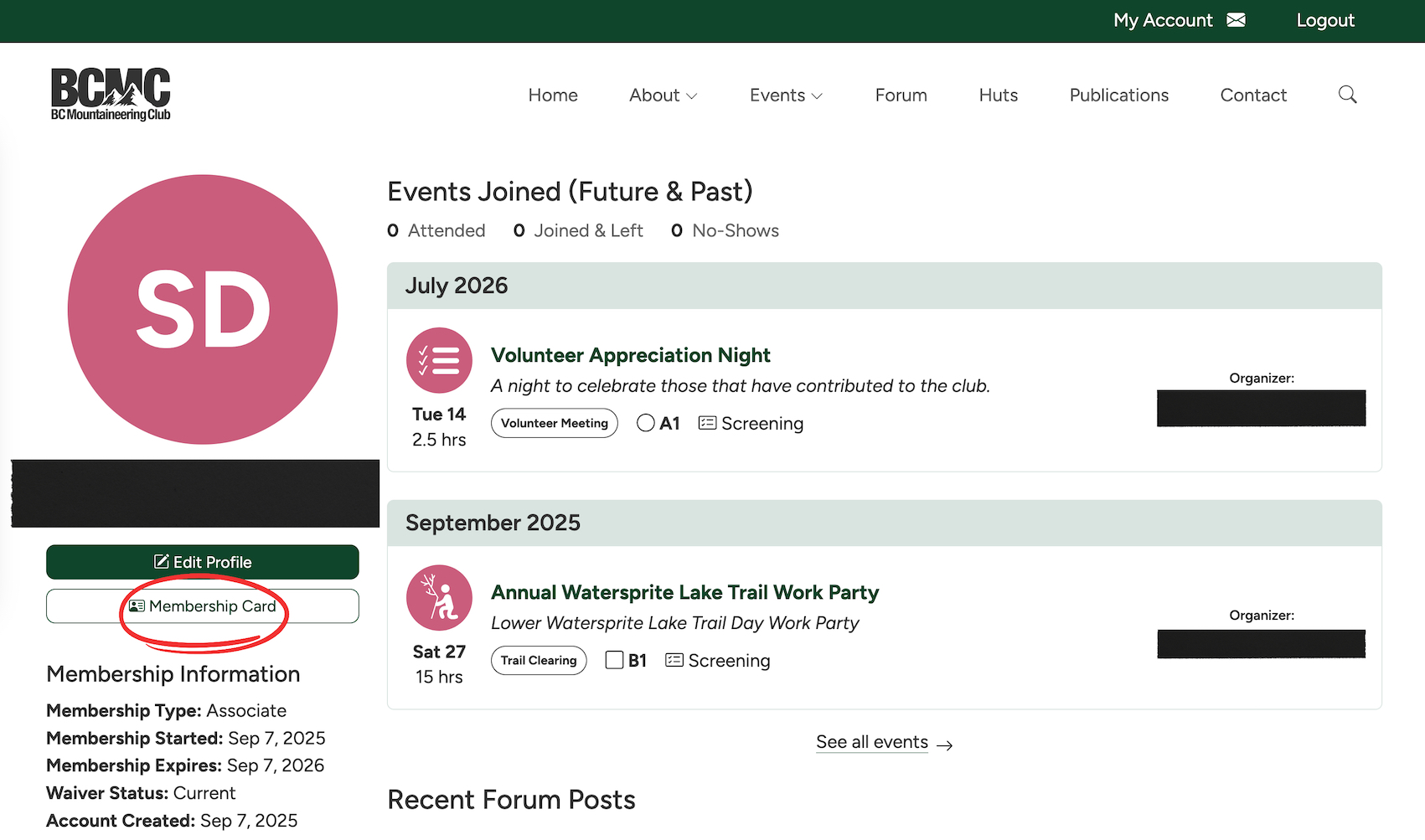
Step 3 Click on 'Membership Card'